“This method of designing icons is genius. I wish I had known this method a lot sooner.”
Create stunning slides that WOWs people.
- as an engineer!
A book and video course that teaches you how to create stunning slides that impress people.
“Everything Starts as a Square” is a book and video course that teaches you a simple method to designing icons that anyone can learn.
Before I learned how to design icons myself, I always imagined that they were drawn by hand using the pen tool, some sort of fancy graphics tablet, and hours and hours spent manually fine-tuning bezier curves.
But it turns out this isn’t how great icon designers work at all.
In “Everything Starts as a Square”, you’ll learn the systems experts use to create pixel perfect icons, without relying on a steady hand.
- Using boolean operations to combine basic shapes into complex icons
- How to adapt icons to different sizes
- Translating icons from an outline style to a solid style
- Identifying the characteristics that make an icon set cohesive
- Figma features and keyboard shortcuts to speed up your workflow
By the end of the book, you’ll have all the confidence you need to dig in and start creating beautiful icons that can hold their own against any of the sets you can find online.
Table of contents
Get a look at all of the content covered in the book. Everything you need to know is inside.
“Everything Starts as a Square” is comprised of 240 tightly edited, highly visual pages designed to teach you everything you need to know about icon design with no unnecessary filler.
Getting started
Fundamentals
Screencasts
Over an hour of high quality, step-by-step video content to sharpen your icon design workflow.
Learn how to design your very first icons in a series of screencasts that will teach you everything you need to know to go from beginner to pro in just over an hour.
Getting started with Figma
Get familiar with the Figma UI, the different tools it offers, and the most important features.
Setting up your artboard
Learn how to create a new artboard and configure your grid and rulers for designing icons.
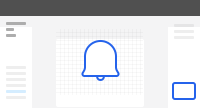
Designing your first icon
Using basic shapes and boolean operations, learn how to design your own notification icon from scratch.

Advanced design techniques
Learn the techniques you need to know to adapt your original icon to a modern duotone style.
Resources
Tools and resources you can use to get started even faster and progress even further.
Design assets, icon teardowns, and a community of fellow icon designers where you can ask questions, get feedback, and accelerate your learning.

Figma icon templates
Pefectly structured templates for quickly designing new icons at dozens of common sizes.


Weekly icon teardowns
Weekly videos where we dissect and recreate beautiful icons we find on the web.

Community of icon designers
A private Discord server where you can get help and give feedback on each others' work.
Get the free sample chapters
Enter your email address and I’ll send you a sample from the book containing two of my favorite chapters.
Pricing
Pick your package
“Stunning Slides” is available in two different packages so you can pick the one that’s right for you.
Essential
The perfect starting point if you’re on a budget.
$79
- The 120-page ebook
- Community access
Complete
Everything slides resource you could ever ask for.
$149
- The 120-page ebook
- Over two hours of screencasts
- Community access
Ultimate
The perfect starting point if you’re on a budget.
$249
- The 120-page ebook
- Over two hours of screencasts
- 10 fully designed slides templates
- Community access
Some kind words from early customers...
I worked with a small group of early access customers to make sure all of the content in the book was exactly what they needed. Here’s what they had to say about the finished product.
Mira’s teaching style is second to none. Everything was easy to follow every step of the way.
 Antonio LittelFrontend Developer
I run an ecommerce store selling rare vintage gummy bears and could never find a good gummy bear icon. Now I can design my own in minutes.
 Cameron ConsidineEntrepreneur
I couldn’t believe how fast Mira moved in Figma compared to my own workflow. I’m designing icons more accurately in half the time with the shortcuts I learned from her videos.
 Steven HackettBootcamp Instructor
Mira’s teaching style is second to none. Everything was easy to follow every step of the way.
Antonio LittelFrontend DeveloperEven though I was excited to learn, I was pessimistic that I wouldn’t actually ever get good enough to design my own icons. I was wrong — this book is all I needed.
 Lynn NolanGrowth Marketer
I run an ecommerce store selling rare vintage gummy bears and could never find a good gummy bear icon. Now I can design my own in minutes.
Cameron ConsidineEntrepreneurThe complete package is worth it for the weekly teardown videos alone. I’ve learned so much watching Mira take apart other icons and recreate them from scratch.
 Regina WisokyDesign Student
I couldn’t believe how fast Mira moved in Figma compared to my own workflow. I’m designing icons more accurately in half the time with the shortcuts I learned from her videos.
Steven HackettBootcamp InstructorI never thought I would enjoy designing icons but using the ideas in this book, it’s become a great way for me to relax while still being creative.
 Carla SchoenStartup Founder

Author
Zhiyan Duan – Hey there, I’m the author behind ‘Stunning Slides’.
I’m an engineering manager leading a backend development team of about 30 people. Over the course of my 13-year experience working in the tech industry, it is evident to me that communicating your ideas to others effectively is one of the most important skills for building influence and overall career success.
When I found myself being praised by people around me for my presentation skills, I realised that this might be an opportunity for me to share what I know about making stunning presentation slides with others, and hopefully fast track the career growth of a larger audience. That’s why I created ‘Stunning Slides’, an all-in-one package about presentation slides design for engineers just like you.